BUILDIQ
Vehicle Quality Benchmarking Automated
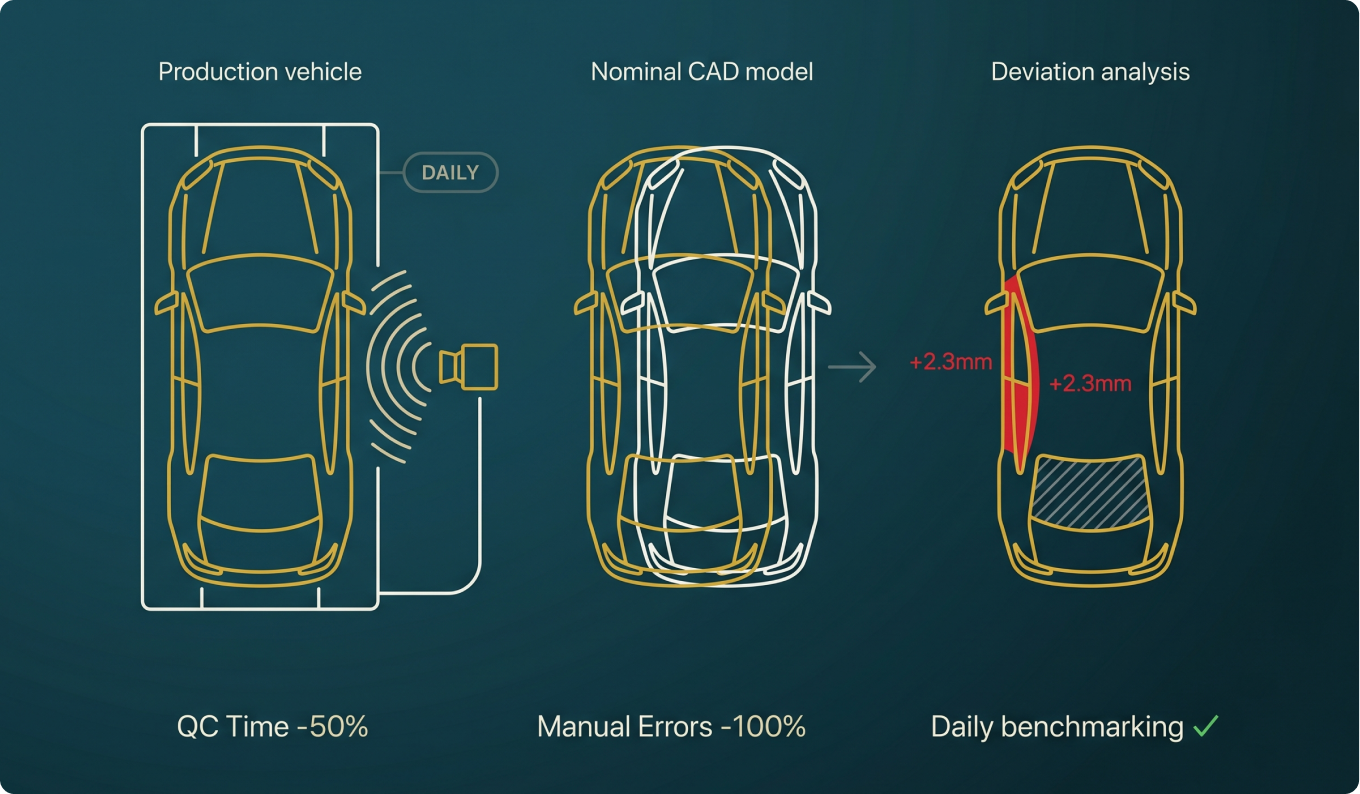
BuildIQ automates vehicle quality benchmarking by scanning production vehicles daily and comparing them against the nominal digital model. Colour-mapped deviation reports highlight every out-of-tolerance surface, eliminating manual inspection errors and reducing QC time by 50%.
Key Features
- Daily LiDAR scan input: compatible with FARO, Leica and NavVis scanners
- Automatic comparison of scanned vehicle surface against nominal CAD model / buck
- Colour-coded deviation report: in-tolerance · out-of-tolerance · missing · occluded
- Automated QC process eliminates 100% of manual quality check errors
- Integrates with Open3D, Navisworks and NVIDIA Omniverse for reporting and visualisation
Key Benefit
50% reduction in QC time · 100% elimination of manual QC errors
FLOWIQ
Dynamic Clearance Validation in Your Point Cloud
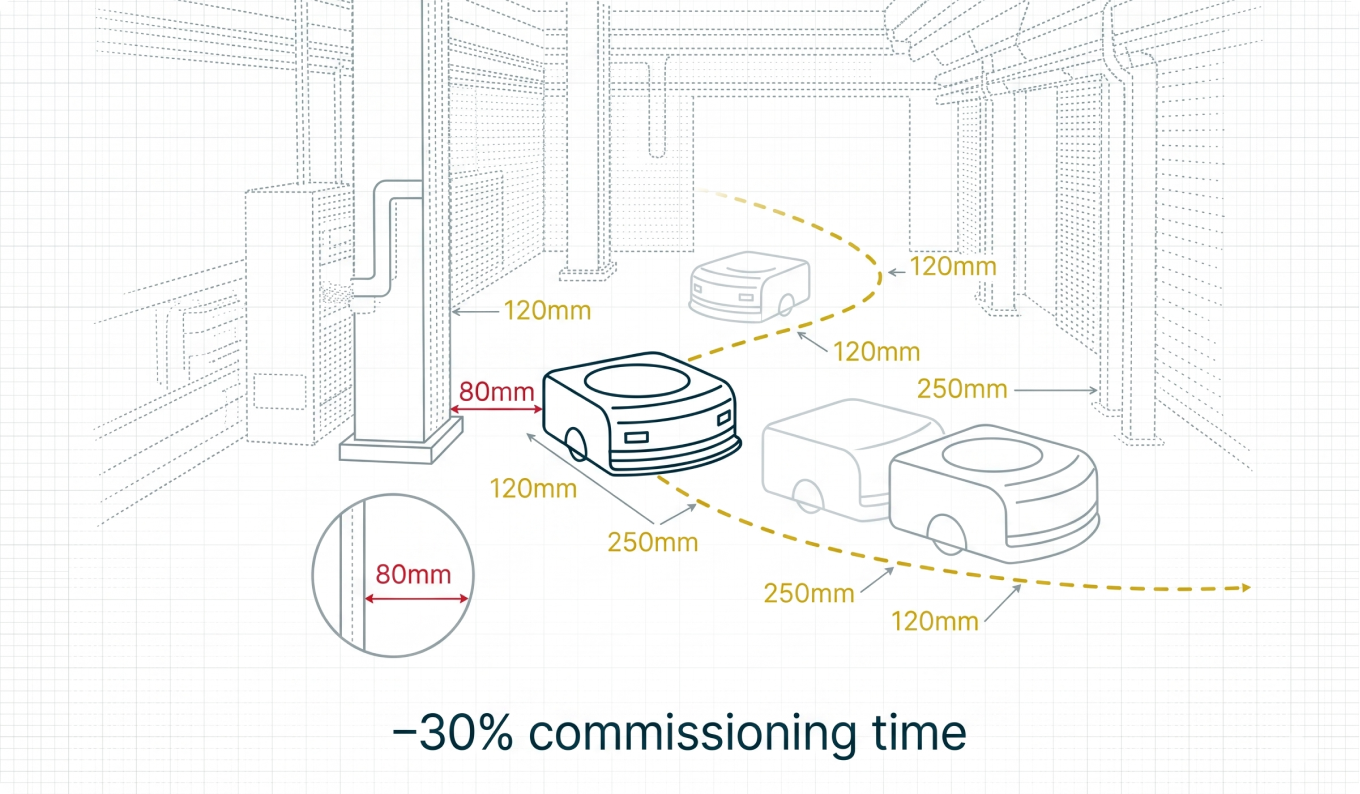
FlowIQ generates clash simulation analysis of vehicles, robots and material carriers directly in the factory's point cloud, without requiring a SLAM path. Validate dynamic clearances and identify interferences, reducing commissioning time and investment by up to 30% before a single physical trial.
Key Features
- Generates clash simulation of a vehicle in point cloud without a SLAM path
- LiDAR input (FARO, Leica, NavVis), no additional hardware or SLAM equipment required
- Dynamic interference analysis between moving objects and static factory structures
- Identify clearance violations and interference zones before physical installation begins
- Visualisation via Open3D and OpenGL, clear, presentation-ready output reports
Key Benefit
30% reduction in commissioning time and investment
DEVIQ
As-Built Deviation Analysis At a Glance
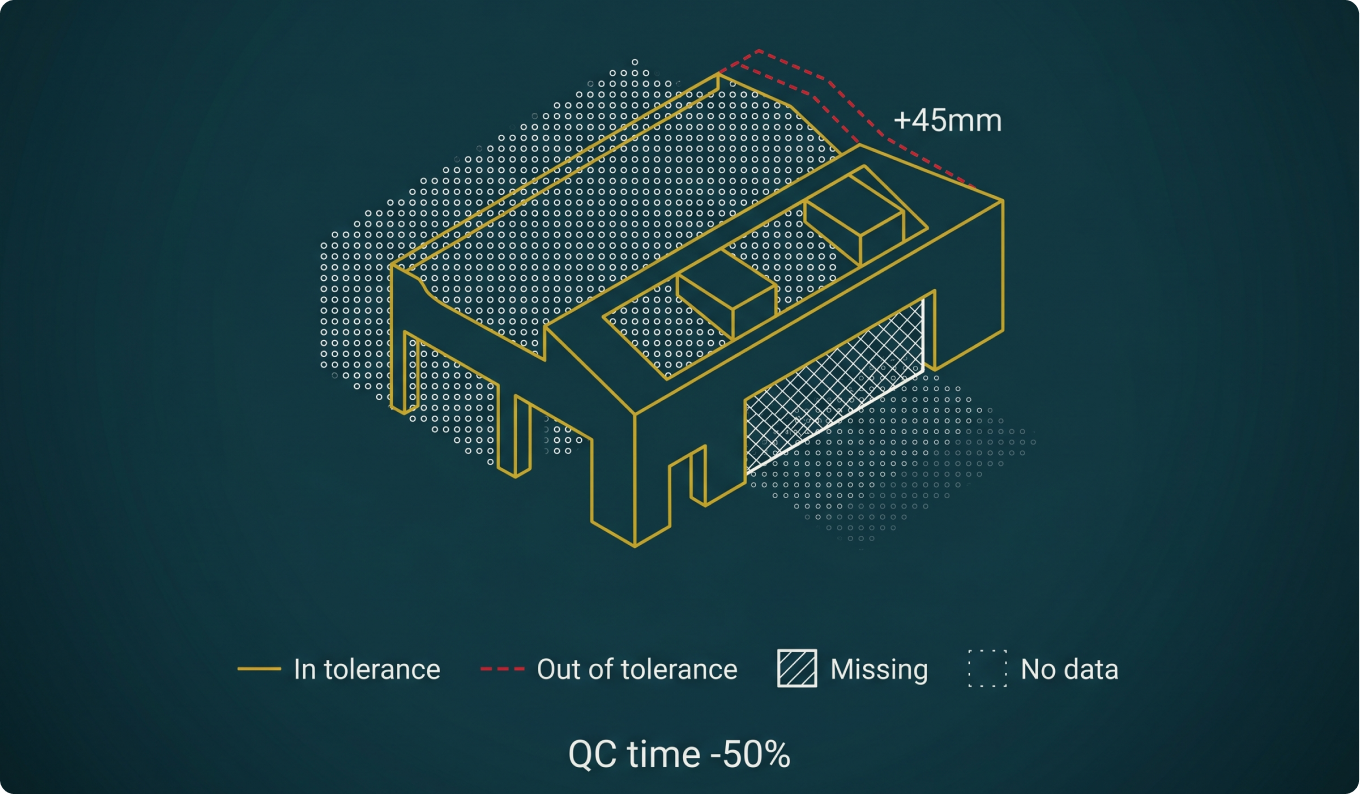
DevIQ overlays your 3D factory model on LiDAR point cloud data and produces colour-mapped deviation analysis, categorising every element as installed to tolerance, out of tolerance, missing, occluded or insufficient data. QC is fully automated using Navisworks and ClearEdge3D.
Key Features
- Colour-mapped comparison across 5 status categories: installed to tolerance · out of tolerance · missing · occluded · not enough data
- Overlap and colour-map of point cloud against 3D model using Navisworks / ClearEdge3D
- Clash detection: 3D model vs 3D model AND point cloud vs 3D model
- Automated QC report identifies mismatch, missing elements and clashing components
- LOD-compliant 3D model output: MicroStation CARF · Siemens NX · Inventor · Revit · Recap
Key Benefit
50% QC time saved · 100% manual QC error elimination